3 Best Free Scraper for People Reacting to LinkedIn Post
Summary
Scraping LinkedIn post reactions is a powerful way to find warm leads for sales, recruiting, or market research, but many tools compromise your account's security.
Our review of the 3 best free tools identifies Synscribe's Scraper as the top choice because it's completely free, requires no registration, and works locally in your browser for ultimate privacy.
Use the scraped data to create highly targeted lead lists and personalize your outreach by referencing the specific post a prospect engaged with for a warmer introduction.
At Synscribe, we integrate social listening insights like these into a broader SEO & Content Strategy to create content that directly addresses customer pain points and drives conversions.
Ever stumbled upon a LinkedIn post with hundreds of reactions from your ideal customers and wished for a 'one-click' way to capture that list? You're not alone. Whether you're a sales professional looking to build prospect lists, a recruiter identifying engaged talent, or a marketer researching audience engagement, scraping LinkedIn reactions can be incredibly valuable.
The challenge isn't just finding a tool—it's finding one that's free, secure, and doesn't require a PhD in data science to use. Many LinkedIn users express frustration with tools that either compromise account security or require complex setup processes.
In this article, we'll cut through the noise and review the 3 best free tools to scrape LinkedIn post reactions, focusing on ease of use, security, and functionality—so you can start turning those valuable social signals into actionable leads.
Why Scrape LinkedIn Post Reactions?
Before diving into the tools, let's quickly explore why collecting LinkedIn reactions is worth your time:
Sales Prospecting: Identify individuals actively engaging with content relevant to your product or service, creating a warm outreach list of people already interested in your topic.
Lead Generation: Build targeted lists of potential leads based on their demonstrated interests and engagement patterns.
Recruiting: Find candidates who are engaged with industry news and company updates, indicating potential interest in your opportunities.
Market Research: Analyze who is reacting to competitors' posts or key industry influencers to better understand your market.
Networking: Connect with active professionals in your niche who have shown interest in relevant topics.
These reactions are essentially digital hand-raises, signaling interest in specific topics—making them perfect starting points for meaningful conversations.
A Critical Consideration: Is Scraping LinkedIn Safe?
Before we review the tools, let's address a common concern: "Is this going to get my LinkedIn account flagged?"
Many users are rightfully concerned about potential consequences, as one Reddit user noted: "True but chrome extensions connect directly to your account which leaves a trail - I've seen colleagues get flagged..."
Here's what you need to know:
Scraping publicly available data is generally permissible if done ethically and responsibly.
The primary risk comes from tools that require your LinkedIn credentials or use your account to perform excessive automated actions, which can violate LinkedIn's terms of service.
The safest approach is using tools that don't require your login credentials and process data locally on your device rather than through external servers.
With these considerations in mind, let's look at the top three free tools for scraping LinkedIn post reactions.
The 3 Best Free Scrapers for LinkedIn Post Reactions
1. Synscribe's LinkedIn Profile Scraper (Top Choice)
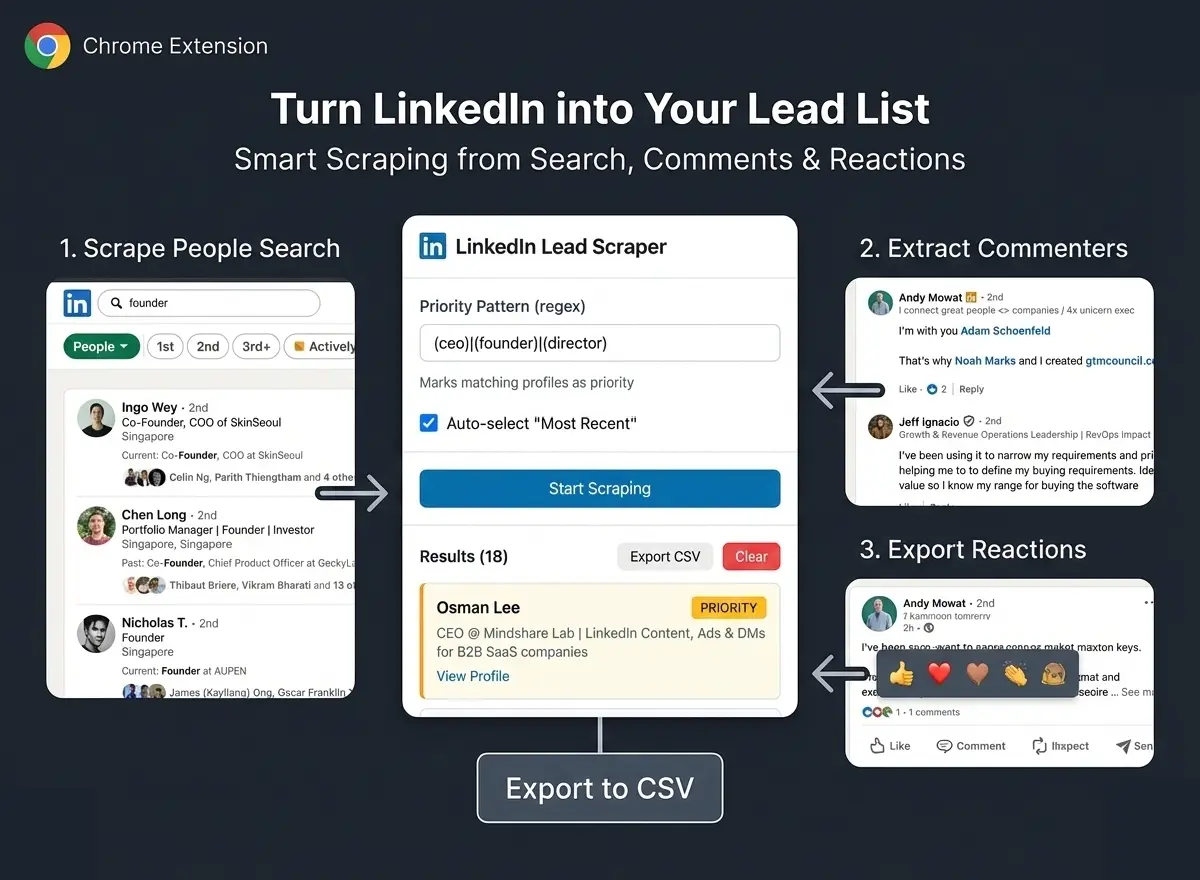 Why it's #1: Synscribe's scraper stands out as our top recommendation because it's completely free, requires no registration, and works entirely in your browser without ever needing your LinkedIn credentials. This directly solves the core user concerns about security and ease of use.
Free Chrome Extension: Installs in seconds for seamless integration with your LinkedIn browsing.
Zero Registration & Ultimate Privacy: All data is stored on your device, ensuring privacy and security without external servers. No need to share your LinkedIn credentials.
Dedicated Reaction Scraper: Easily collect the profiles of everyone who reacted to a specific post.
Comment Scraper: Extract commenters to identify the most vocal and engaged prospects.
CSV Export: Easily export scraped data to CRM or spreadsheets, allowing you to use the data in tools like Airtable or Notion as suggested by many users.
Real-time Monitoring: Watch the progress as it happens.
Pause/Resume Control: Flexibility to manage your scraping tasks.
How it Works (Simple Steps):
Install the free Chrome Extension.
Navigate to any LinkedIn post.
Click the reactions count to open the list of people who reacted.
Open the Synscribe extension and click "Scrape Reactions."
Download the complete list as a CSV file when finished.
The Verdict: The perfect tool for sales professionals, marketers, and recruiters who need a fast, secure, and cost-effective way to gather engagement data from LinkedIn without any technical hurdles or privacy concerns.
2. Phantombuster
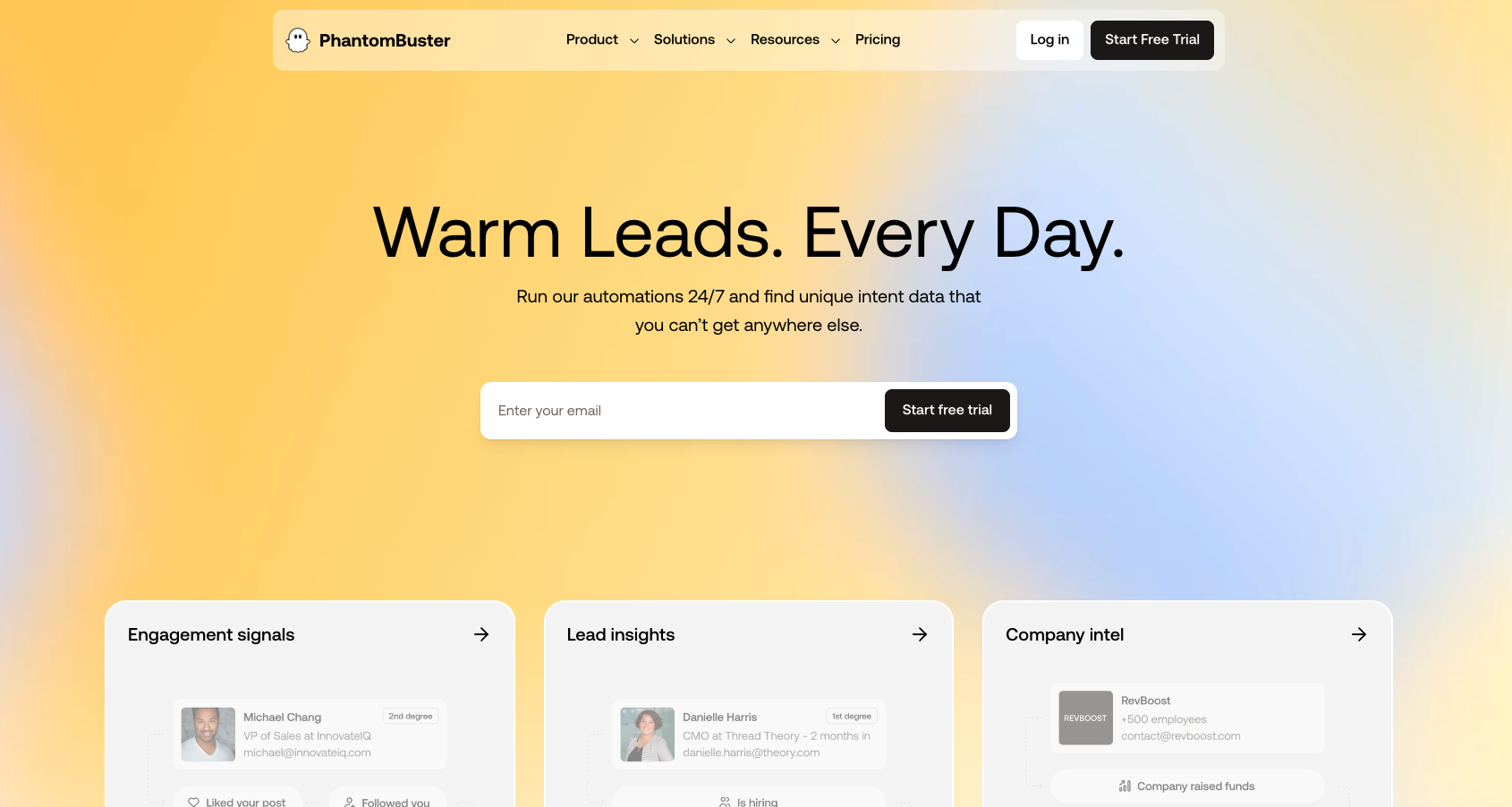
Who it's for: Users who need more advanced automation capabilities and want to build multi-step workflows beyond simple data extraction.
Key Features:
A versatile automation platform with "Phantoms" (scripts) for various tasks.
Can automate actions like sending connection requests or messages.
More powerful for complex workflows and batch processing.
How to Scrape Post Reactions:
Choose a tool: Select PhantomBuster's LinkedIn Activity Extractor.
Select profiles: Input the URL of the post or a Google Sheet with multiple URLs.
Connect your account: Securely connect your LinkedIn account using your session cookie.
Configure settings: Define how many profiles to process and what data to extract (reactions, comments, etc.).
Set frequency: Schedule how often the Phantom should run to stay within LinkedIn's rate limits.
Limitations:
Technical Setup: Requires more configuration than a simple extension.
Free Tier Restrictions: The free plan has limits on daily execution time and the amount of data you can extract.
Requires Account Connection: Uses your session cookie, which, while secure, is a step further than tools that require no connection at all.
3. Export Comments
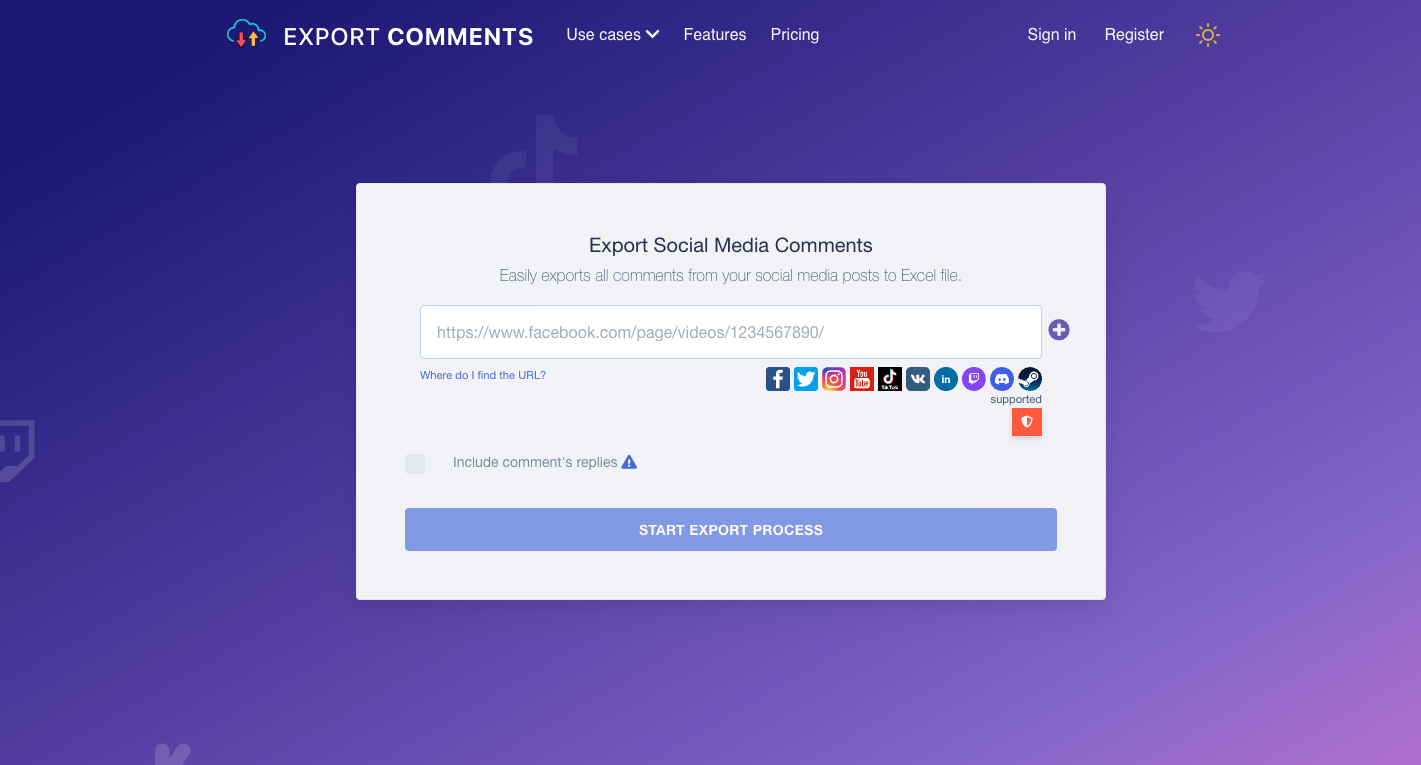
Who it's for: Social media managers or marketers who need to export comments from multiple platforms, not just LinkedIn.
Multi-Platform Support: Works with LinkedIn, Facebook, Instagram, Twitter, TikTok, and YouTube.
Simple Export: Download comments directly to an Excel file.
Use Cases: Useful for running comment-based contests, conducting quick sentiment analysis, or identifying top commentators.
Limitations:
Free Version Cap: Guest users can only export up to 100 comments per request.
Replies Require Upgrade: To get comment replies, you need a paid plan.
Focus on Comments: Primarily designed for comments, though it can pull reactions, its strength lies in comment extraction.
At-a-Glance Comparison Table
Feature | Synscribe's Scraper | Phantombuster | Export Comments |
|---|---|---|---|
Price | Completely Free | Freemium (Paid plans for more usage) | Freemium (Paid plans for more exports) |
Registration | Not Required | Required | Not Required (Guest mode available) |
Data Privacy | Excellent (Local processing, no credentials needed) | Good (Uses session cookies, not password) | Good (Processes public data) |
Ease of Use | Very Easy (Browser extension) | Moderate (Requires setup) | Easy (Web-based tool) |
Key Functionality | Scrapes Reactions, Comments, Profiles | Full Automation Workflows | Multi-Platform Comment Export |
Best For | Fast, secure, and free reaction scraping on LinkedIn | Advanced users needing complex automation | Social media managers handling multiple platforms |
How to Use Your Scraped Data for Growth
Having a list of people who reacted to LinkedIn posts is valuable—but only if you know what to do with it. Here are some actionable ways to leverage this data:
1. Enrich Your Lead Lists Export the CSV from Synscribe and upload it to your CRM or sales outreach tool to start building relationships. These aren't just random contacts—they're people who have already shown interest in topics relevant to your business.
2. Personalize Your Outreach Reference the specific post they reacted to in your connection request or message for a warmer intro:
"Hi [Name], I noticed you reacted to [Person]'s post about [Topic]. Since you're interested in this area, I thought you might find value in [your offering/content/connection]..."
This approach is significantly more effective than generic cold outreach.
3. Inform Your Content Strategy Analyze the job titles and companies of people reacting to certain topics. This is a form of social listening that can help you create more content that resonates with your Ideal Customer Profile (ICP).
4. Organize Your Insights Use tools like Airtable or Notion, as recommended by users on Reddit, to track and organize the data you've scraped for better analysis:
"Just use Notion instead of Google Drive and you are fine." - Reddit user
This organization allows you to build a searchable database of engaged prospects categorized by interests, job titles, or engagement levels.
Beyond Scraping: Turning Data into Strategy
Scraping data is just the first step. The real growth happens when you use those insights to inform a larger strategy.
At Synscribe, we help B2B SaaS companies do exactly that. We leverage proprietary AI tools for social listening to inform our SEO & Content Strategy. This data-driven approach ensures we create content that not only ranks on search engines but also speaks directly to the pain points of your customers, turning raw data from your scraping efforts into measurable revenue.
Our "fire bullets then cannonballs" approach starts with small, targeted experiments (like analyzing LinkedIn reaction data) before scaling successful strategies into comprehensive campaigns that drive conversions, not just traffic.
Conclusion
When it comes to scraping LinkedIn post reactions, you need a tool that balances functionality, security, and ease of use. For a free, secure, and incredibly easy way to scrape LinkedIn post reactions, Synscribe's LinkedIn Profile Scraper is the clear winner. For advanced automation, consider Phantombuster. For multi-platform comment exporting, check out Export Comments.
The value of these tools lies not just in the data they collect, but in how that data transforms your understanding of your audience and market. By identifying who's engaged with relevant content, you gain invaluable insights that can inform everything from your sales outreach to your content strategy.
Frequently Asked Questions (FAQ)
What is the best free tool to scrape LinkedIn post reactions?
The best free tool is Synscribe's LinkedIn Profile Scraper because it is completely free, requires no registration, and processes data locally on your device for maximum security. It's a Chrome extension that allows you to easily scrape reactions and comments from any LinkedIn post and export them as a CSV file without needing your LinkedIn credentials, which addresses major security concerns.
Is it safe to scrape LinkedIn reactions?
Yes, it is generally safe to scrape LinkedIn reactions if you use a tool that does not require your login credentials and processes data locally. The primary risk comes from tools that automate actions through your account or require your password, which can violate LinkedIn's terms of service. Tools like Synscribe's scraper operate in your browser without connecting to your account, making it a much safer method.
Will I get my LinkedIn account banned for scraping?
The risk of getting your account banned is very low when using secure, client-side tools that don't require your account credentials. LinkedIn typically flags accounts for excessive, server-side automation that mimics bot-like behavior (e.g., sending hundreds of connection requests quickly). Browser extensions that scrape publicly visible data without logging in or using your account to perform actions are significantly less likely to trigger any alarms.
Why should I scrape LinkedIn reactions?
You should scrape LinkedIn reactions to identify and build targeted lists of potential leads, sales prospects, or job candidates who have already shown interest in topics relevant to your industry. These reactions act as "digital hand-raises," providing a list of engaged individuals. This data is invaluable for personalized outreach, market research, and understanding which content resonates with your target audience.
How can I use the data I scrape from LinkedIn?
You can use scraped data to enrich your CRM, personalize your sales outreach messages, and inform your content strategy. Export the list as a CSV and upload it to your sales or marketing tools. When reaching out, reference the specific post they engaged with for a warmer introduction. You can also analyze the job titles and companies of engaged users to better understand your Ideal Customer Profile (ICP).
What is the difference between scraping reactions and comments?
Scraping reactions gives you a broad list of everyone who showed interest in a post, while scraping comments provides a list of individuals who are more actively engaged and vocal. Reactions are a quick, low-effort signal of interest, whereas comments represent a higher level of engagement and can reveal specific opinions or questions. Top tools like Synscribe allow you to scrape both, giving you different angles for prospecting and research.
Stop manually tracking engaged prospects. Start building targeted lists in minutes. Download the free Synscribe LinkedIn Profile Scraper Chrome Extension today and unlock a smarter way to prospect.
Dominate ChatGPT and Google Search
Synscribe helps B2B companies with SEO & GEO using programmatic SEO approach. Book a call to find out how we help you win.