5 Chrome Extensions to Scrape Commenters on LinkedIn Post
Summary
LinkedIn post commenters are high-intent leads, but scraping them with traditional tools risks your account's safety due to "session cookie anxiety."
This guide reviews five Chrome extensions, prioritizing cookieless, browser-based tools that operate safely without accessing your session cookie.
The most effective strategy involves using the scraped data for segmented, personalized outreach that references the commenter's context.
For a safe, free, and powerful option, start with the Synscribe LinkedIn Profile Scraper, which runs locally in your browser.
You've spotted a hot LinkedIn post in your industry with hundreds of comments from engaged professionals. These commenters are showing active interest in a topic relevant to your business—they're essentially raising their hands as high-intent prospects. But how do you efficiently capture this goldmine of leads without the tedious manual work of copy-pasting each profile?
The challenge is real, and so is the anxiety. Many professionals have experienced the dreaded "session cookie anxiety" after having their LinkedIn accounts restricted for using aggressive scraping tools. As one GTM engineer shared on Reddit, "Man, the session cookie anxiety is real. Got my account restricted once using one of those scrapers back in the day, not fun."
This article introduces five Chrome extensions that can help you scrape LinkedIn commenters safely and efficiently. We'll start with the most privacy-focused, free option and work our way through various tools to suit different needs.
Why Scrape LinkedIn Commenters?
Before diving into the tools, let's understand why commenters are particularly valuable:
Higher Intent: Unlike people who merely "like" a post, commenters invest time sharing their thoughts, indicating deeper engagement and interest.
Self-Segmentation: People comment on topics they care about, effectively segmenting themselves by interest area.
Conversation Context: Comments provide context for personalized outreach—you know exactly what resonated with them.
Competitor Intelligence: Analyzing comments on competitor posts reveals pain points and unmet needs.
As one professional aptly noted, "The real 'boss move' isn't just scraping, it's about finding intent." Commenters signal that intent loud and clear.
The 5 Best Chrome Extensions for LinkedIn Comment Scraping
1. Synscribe's LinkedIn Profile Scraper
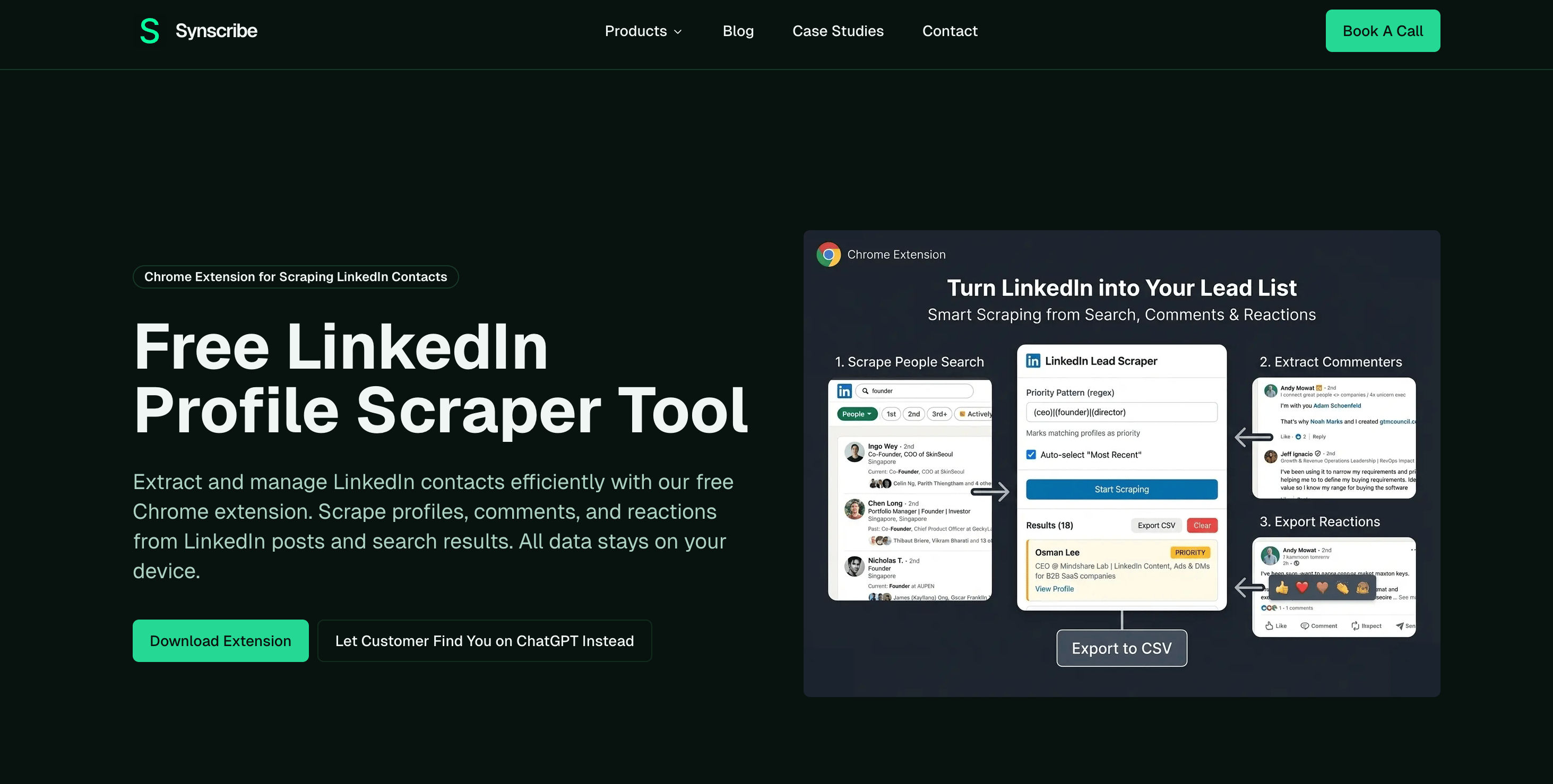 Overview: Synscribe's scraper stands out as our top recommendation for several compelling reasons: it's completely free, requires no registration, and operates with a privacy-first approach. Unlike most tools, it works entirely within your browser without requiring your LinkedIn session cookie or sending data to external servers.
Key Features:
Cookieless Operation: Runs locally in your browser, eliminating the risk of account restrictions
Comment & Reaction Scraping: Extract profiles from both comments and reactions on any LinkedIn post
Advanced Filtering: Use regex patterns to filter for specific job titles, companies, or locations
Priority Tagging: Automatically mark important contacts based on your criteria
CSV Export: Download your filtered list for use in CRM systems or outreach campaigns
Real-time Processing: Watch results populate as the tool works, with pause/resume functionality
How to Use It:
Install the Synscribe LinkedIn Profile Scraper from the Chrome Web Store
Navigate to any LinkedIn post and copy its URL
Open the extension and paste the URL in the "Comment Scraper" section
Add any desired filters using regex patterns
Click "Start Scraping" and watch your lead list grow
Export to CSV when complete
The tool's privacy-first approach directly addresses the main concern expressed by users about account safety, making it ideal for those who've experienced or fear LinkedIn's restrictions.
2. Phantombuster
Overview: Phantombuster is a powerful cloud-based web automation platform with specific "Phantoms" designed for LinkedIn data extraction. Its LinkedIn Post Commenters Export tool can systematically extract commenters from multiple posts and integrate with other workflows.
Key Features:
Comprehensive Extraction: Captures both commenter profiles and their actual comment text
Scheduled Automation: Set up recurring extractions to monitor posts over time
Multi-Post Capability: Process multiple LinkedIn posts in a single run
Workflow Integration: Chain with other Phantoms to build complex lead generation processes
Important Considerations:
Session Cookie Required: Requires your LinkedIn session cookie to operate, which poses some account risk
Usage Limits: Phantombuster recommends limiting extractions to 50 posts per day (100 for Sales Navigator) to stay within LinkedIn's fair use policy
Pricing: Starts at approximately $48/month for 20 hours of execution time, with a limited free plan offering 30 minutes monthly
3. Dux-Soup
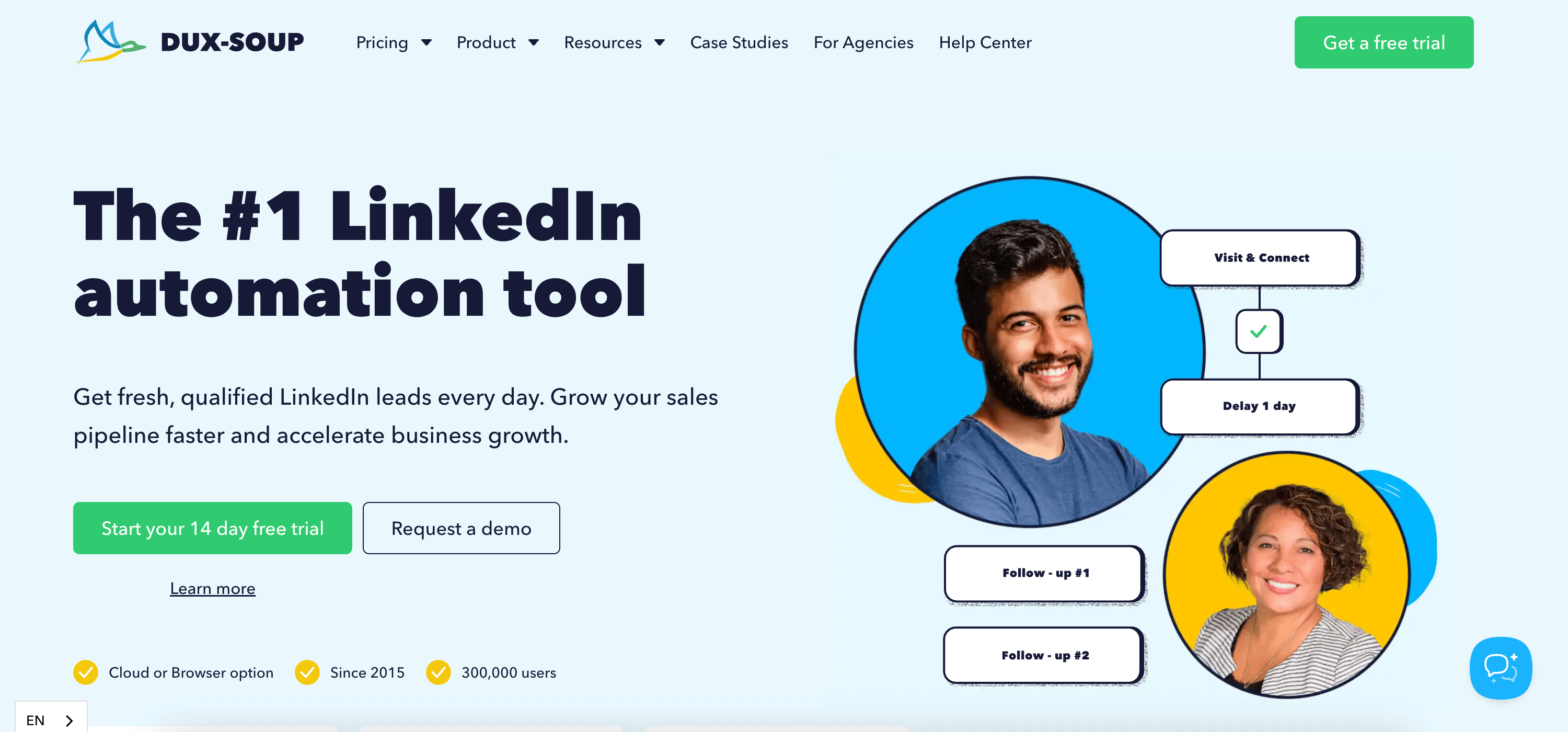 Overview: Dux-Soup is primarily a LinkedIn automation tool that mimics human behavior for profile visits and engagement, but it can also extract data from the profiles it visits.
Key Features:
Profile Data Extraction: While visiting profiles, automatically extracts name, title, company, location, and more
Natural Behavior Simulation: Designed to mimic human clicking patterns and timing to reduce detection risk
CRM Integration: Directly exports data to major CRM platforms
Customizable Workflows: Allows you to create tailored automation sequences
Pricing & Method:
Offers a free plan for basic profile visiting
Paid plans start around €9.92/month
"Turbo" plan with full automation features costs €36.25/month
Works through your browser using your LinkedIn session
For comment scraping specifically, you'll need to manually open the list of commenters, then let Dux-Soup visit each profile to collect their information—it's not as direct as Synscribe or Phantombuster for this specific purpose.
4. BeReach LinkedIn Comments Scraper
Overview: BeReach offers a dedicated tool specifically for LinkedIn comment scraping that includes one key feature many others don't: it captures the actual text of comments along with profile information.
Key Features:
Comment Text Extraction: Captures both commenter profiles AND their exact comment text
Instant Download: Quickly exports data as CSV or opens directly in Google Sheets
Free Credits System: Provides free credits upon installation to test the service
No Subscription: Uses a credit-based system rather than recurring subscription
How It Works:
Install the BeReach extension from the Chrome Web Store
Copy the URL of any public LinkedIn post
Paste the URL into the extension
Download the CSV containing commenter names, profile URLs, and comment text
This tool is particularly valuable for marketers who need the actual comment content for highly personalized outreach campaigns.
5. Hunter
Overview: While not a direct LinkedIn scraper, Hunter serves as an essential complementary tool in your lead generation workflow. Once you've extracted a list of names and companies using one of the above tools, Hunter helps you find their professional email addresses.
Key Features:
Email Finder: Input a person's full name and company domain to find their verified email
Domain Search: Discover all email addresses associated with a specific company
Chrome Extension: Can be used directly on LinkedIn profiles to attempt email discovery
Email Verification: Verifies email deliverability to reduce bounce rates
Pricing:
Free plan includes 25 monthly searches
Paid plans start at $49/month for 500 searches
Hunter works perfectly as the second step in your workflow—after using Synscribe to extract LinkedIn commenters, use Hunter to obtain their email addresses for outreach.
Quick Comparison: LinkedIn Comment Scraping Tools
Tool | Price | Privacy Model | Core Function | Best For |
|---|---|---|---|---|
Synscribe Scraper | Free | Cookieless (Local) | Data Scraping & Filtering | Safe, fast lead list building without privacy compromise |
Phantombuster | From $48/mo | Session Cookie (Cloud) | Advanced Automation | Complex, scheduled multi-step workflows |
Dux-Soup | From €9.92/mo | Session Cookie (Local) | Engagement Automation | Sales teams automating profile visits at scale |
BeReach Scraper | Free Credits | Session Cookie (Local) | Comment Text Scraping | Marketers needing comment text for personalized outreach |
Hunter | From $49/mo | N/A | Email Enrichment | Finding verified emails for your scraped leads |
How to Use Scraped LinkedIn Commenter Data Effectively
Once you've scraped your list of LinkedIn commenters, how do you turn this data into actual business results? Here are some strategic approaches:
1. Segment by Intent Signals
Review comments to identify specific pain points or needs, then segment your list accordingly. For example, separate those who expressed frustration with current solutions from those asking informational questions.
2. Personalized Multi-Channel Outreach
Craft personalized outreach that references the specific post and their comment. A message like, "I noticed your thoughtful comment about [specific point] on [person]'s LinkedIn post about [topic]..." shows you're not just sending generic messages.
3. Content Targeting
Create content that specifically addresses the questions and challenges you identified in the comments. This demonstrates your understanding of their needs and builds credibility.
4. Competitive Intelligence
If you're scraping comments from competitor posts, analyze the feedback to identify gaps in their offering that you can address in your marketing and product development.
Best Practices for LinkedIn Comment Scraping
To maintain account safety and maximize results, follow these best practices:
Respect LinkedIn's Terms: Even with privacy-focused tools, scrape at reasonable volumes and frequencies.
Focus on Quality Over Quantity: Targeted, relevant leads are more valuable than massive lists.
Add Value First: When reaching out to scraped contacts, lead with value rather than sales pitches.
Test Different Tools: Each tool has different strengths; Synscribe excels at privacy and ease, while others may offer deeper data or automation.
Enrich Your Data: Combine tools (like using Hunter after Synscribe) to build more complete prospect profiles.
Conclusion
Scraping LinkedIn commenters is a powerful strategy for identifying engaged prospects who have already demonstrated interest in topics relevant to your business. Among the available tools, Synscribe's LinkedIn Profile Scraper stands out for its combination of powerful features, ease of use, and privacy-first approach—all available completely free without registration.
The cookieless, browser-based operation eliminates the "session cookie anxiety" that many professionals experience with other tools, making it the safest option for protecting your LinkedIn account while still capturing valuable lead data.
Remember that gathering the data is just the first step. The real magic happens when you transform that data into strategic insights and personalized outreach. If you're looking to take your lead generation and conversion strategy to the next level, Synscribe's expertise in AI-powered outreach and Generative Engine Optimization (GEO) can help you turn those LinkedIn leads into paying customers.
Start building your high-intent lead lists today with these powerful Chrome extensions, and unlock the potential of LinkedIn's most engaged users—the commenters who are already raising their hands to participate in your industry's conversation.
Frequently Asked Questions
Why should I scrape LinkedIn commenters instead of just 'likers'?
You should scrape LinkedIn commenters because they demonstrate higher intent and engagement than users who simply 'like' a post. Commenting requires more effort, indicating a deeper interest in the topic. Their comments also provide valuable context about their pain points and opinions, allowing for highly personalized outreach and making them a richer source of qualified leads.
Is scraping LinkedIn comments safe for my account?
Scraping LinkedIn comments can be safe for your account if you use the right tools and follow best practices. The primary risk comes from tools requiring your LinkedIn session cookie, which can be detected as non-human activity. To minimize risk, opt for a cookieless tool like Synscribe's LinkedIn Profile Scraper, which operates locally in your browser. Additionally, avoid scraping excessively high volumes of data in a short period.
What is the best free tool for scraping LinkedIn comments?
The best free tool for scraping LinkedIn comments is Synscribe's LinkedIn Profile Scraper. It stands out because it is completely free, requires no registration, and uses a privacy-first, cookieless approach. This means it operates entirely within your browser, significantly reducing the risk of your LinkedIn account being restricted while providing powerful features like filtering and CSV export.
What should I do with the data after I scrape LinkedIn commenters?
After scraping LinkedIn commenters, you should use the data to create highly personalized, multi-channel outreach campaigns. Start by segmenting the list based on the commenters' job titles or the specific points they made. Use this context to craft relevant messages that reference the post they commented on. The goal is to add value and start a genuine conversation, not just send a generic sales pitch.
How can I scrape comments from a specific LinkedIn post?
To scrape comments from a specific LinkedIn post, you can use a Chrome extension like Synscribe's LinkedIn Profile Scraper. Simply navigate to the LinkedIn post, copy its URL, and paste it into the extension. You can then add filters for specific job titles or companies and start the scraping process. The tool will automatically extract the commenters' profiles, which you can then export to a CSV file.
Does scraping LinkedIn violate its terms of service?
Yes, automated data collection, or scraping, is technically against LinkedIn's User Agreement. However, the level of enforcement and risk varies greatly depending on the method used. Tools that operate locally in your browser and mimic human behavior are generally less detectable than cloud-based solutions that require your session cookie. Always use scraping tools responsibly and at a reasonable pace to minimize risk.
Dominate ChatGPT and Google Search
Synscribe helps B2B companies with SEO & GEO using programmatic SEO approach. Book a call to find out how we help you win.